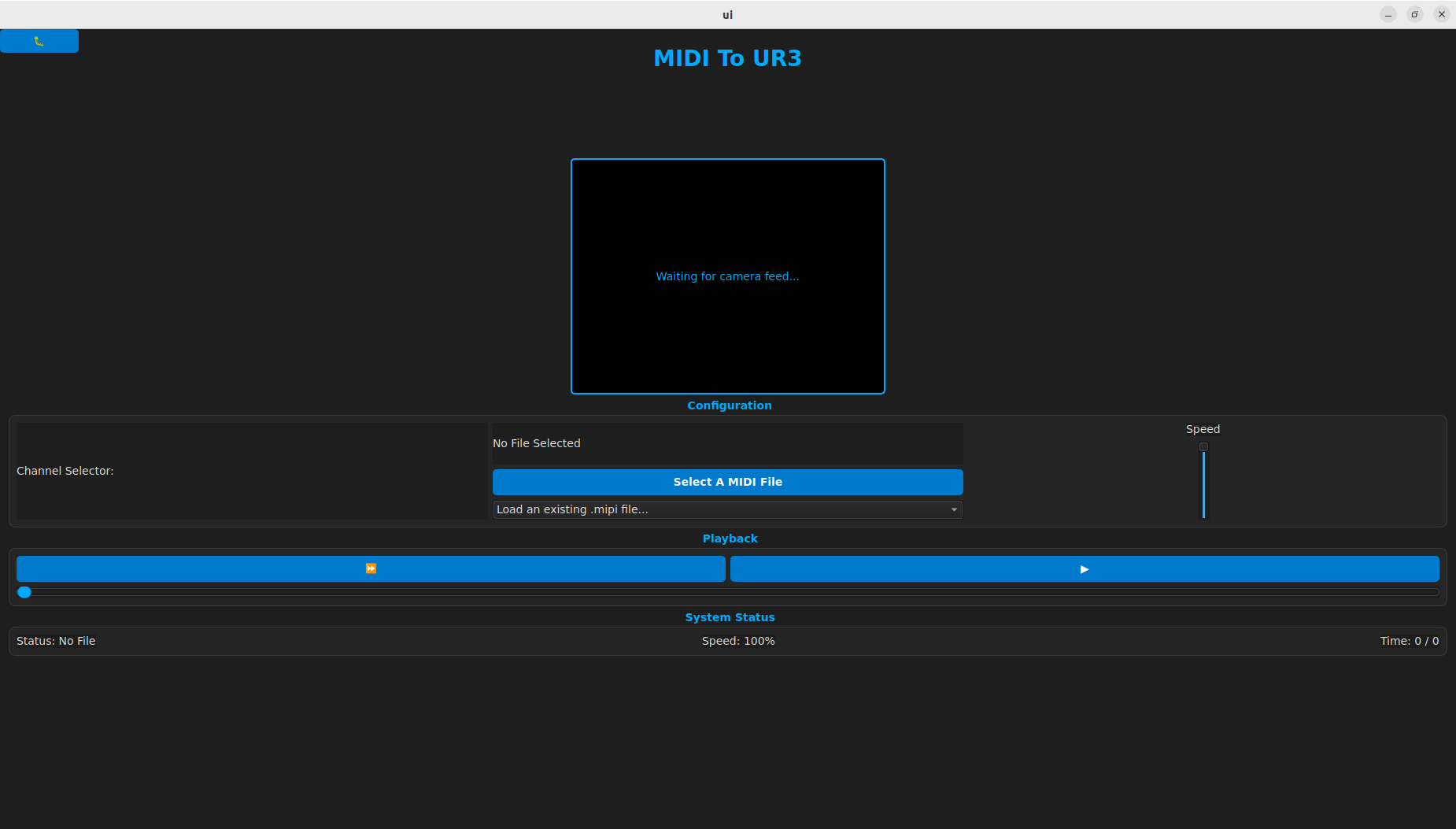
The PianoUI class is a hybrid Qt-ROS 2 node that provides the graphical interface for MIDI-to-UR3 playback. It handles file conversion, playback state management, and real-time camera visualization.
How to Initialize the UI Node
In your main execution file (typically main.cpp), instantiate the class and add it to a ROS 2 executor to handle service calls and image subscriptions.
1. <strong>Initialize ROS 2</strong>
rclcpp::init(argc, argv);
2. <strong>Instantiate the UI</strong>
auto ui_node = std::make_shared<UI::PianoUI>();
3. <strong>Show the window and spin the node</strong>
ui_node->show();
rclcpp::spin(ui_node);
How to Interact with the UI Features
Step 1: Processing a New MIDI File
- Action: Click the "Select A MIDI File" button.
- Result: This opens a file dialog.
- Logic: Selecting a
.mid file triggers the MidiProcessor to convert it to a .mipi file.
- Storage: Processed files are automatically saved to
~/mipi_files/.
Step 2: Loading an Existing .mipi File
- Action: Use the Dropdown Menu (
QComboBox).
- Scanning: This scans the
~/mipi_files/ directory.
- Automation: Selecting a file automatically populates the Channel Selector with the instruments found in that file.
Step 3: Selecting a Channel
- Action: Click a Radio Button in the Channel Selector.
- Communication: This immediately sends a
/MIPI/load service request to the robot.
- Payload: It passes the
.mipi filepath and the specific MIDI channel index.
Step 4: Controlling Playback
Use the playback buttons to communicate with the robot via the /MIPI/play_pause and /MIPI/direction services.
- Play/Pause Button: Toggles the robot movement state.
- Direction Toggle: Toggles between Forward (⏩) and Reverse (⏪).
- Speed Slider: Adjusts the Time Scale (0.01 to 1.0) via the
/MIPI/time_scale service.
Technical Interface Reference
Service Clients Used
The UI communicates with the robot backend using these specific service calls:
// Sends a play or pause signal
playback_client = this->create_client<jamc::srv::Func>("/MIPI/play_pause");
// Sends a signal to reverse or go forward
direction_client = this->create_client<jamc::srv::Func>("/MIPI/direction");
// Sends a double (0.0 to 1.0) to scale robot speed
time_scale_client = this->create_client<jamc::srv::TimeScale>("/MIPI/time_scale");
// Sends the filename and channel index to load onto the robot
channel_client = this->create_client<jamc::srv::Load>("/MIPI/load");
Camera Subscription
The UI displays a live feed by subscribing to the following topic:
- Topic:
/camera/camera/color/image_raw
- Message Type:
sensor_msgs::msg::Image

 1.9.8
1.9.8